
Stop Chasing Paperwork: Collect Required Documents Automatically with Rhōmb
Running a self-service facility means finding ways to automate the tasks that would normally require a front desk employee. Selling memberships, collecting waivers, processing payments, managing reservations, and controlling facility access can all be handled through Rhōmb.
But what happens when your customers need to provide documentation before they can purchase a product?
That's where Rhōmb's Document Requirements feature comes in.
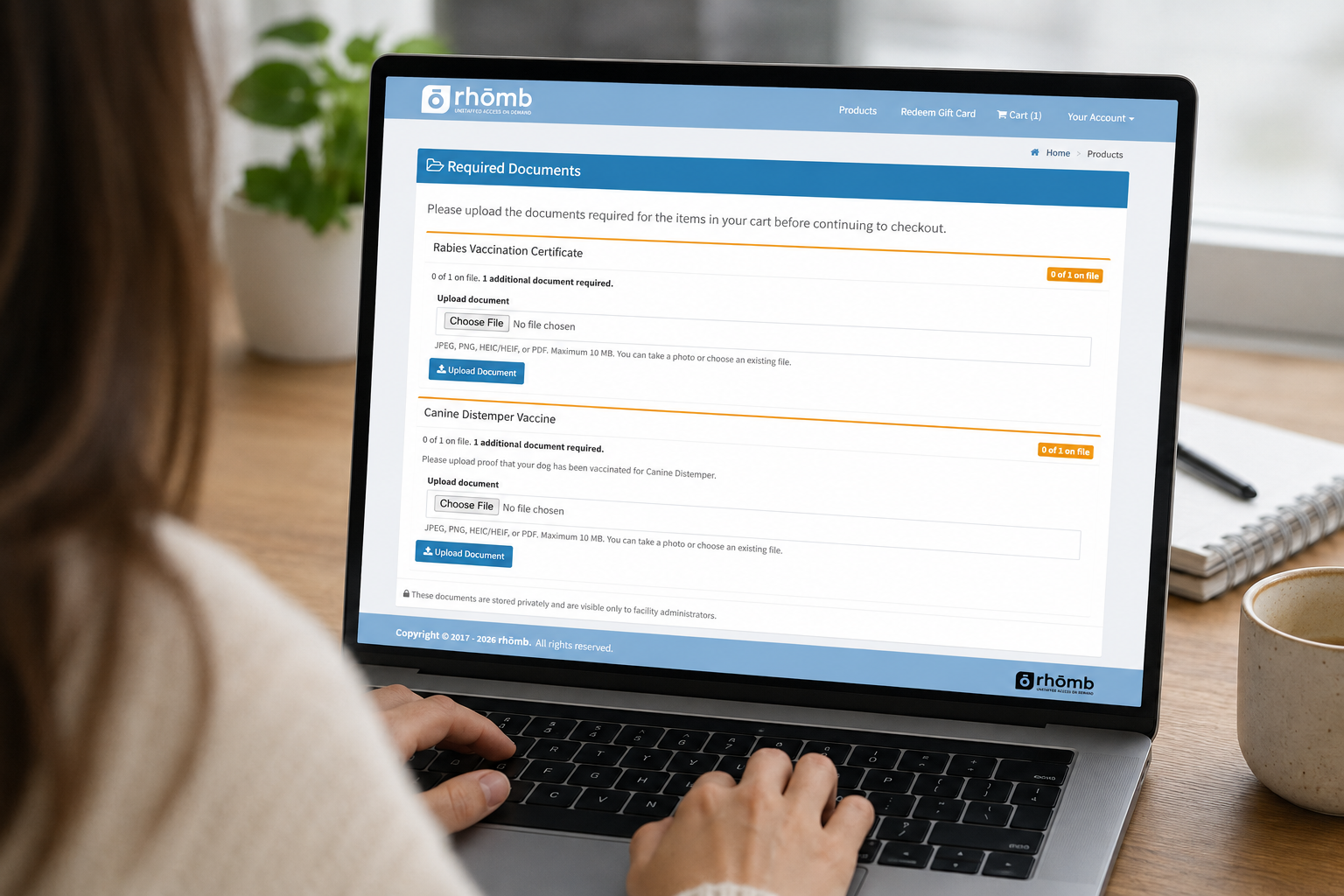
With Document Requirements, you can require customers to upload specific documents during checkout before they can complete their purchase. It's a simple way to collect important documentation without relying on emails, paper forms, or manual follow-up.
What Are Document Requirements?
Document Requirements allow facility owners and operators to specify which documents customers must provide when purchasing a particular product.
For example, you might require:
A Municipal Dog License for a dog park membership
A Rabies Vaccination Certificate for a dog park membership
Proof of Residence for a resident-only membership
A Driver's License for an age-restricted product
Spay/Neuter Certification for a dog park membership
Other facility-specific documentation
The requirement is attached directly to the product, so customers are prompted to upload the appropriate documentation as part of the purchasing process.
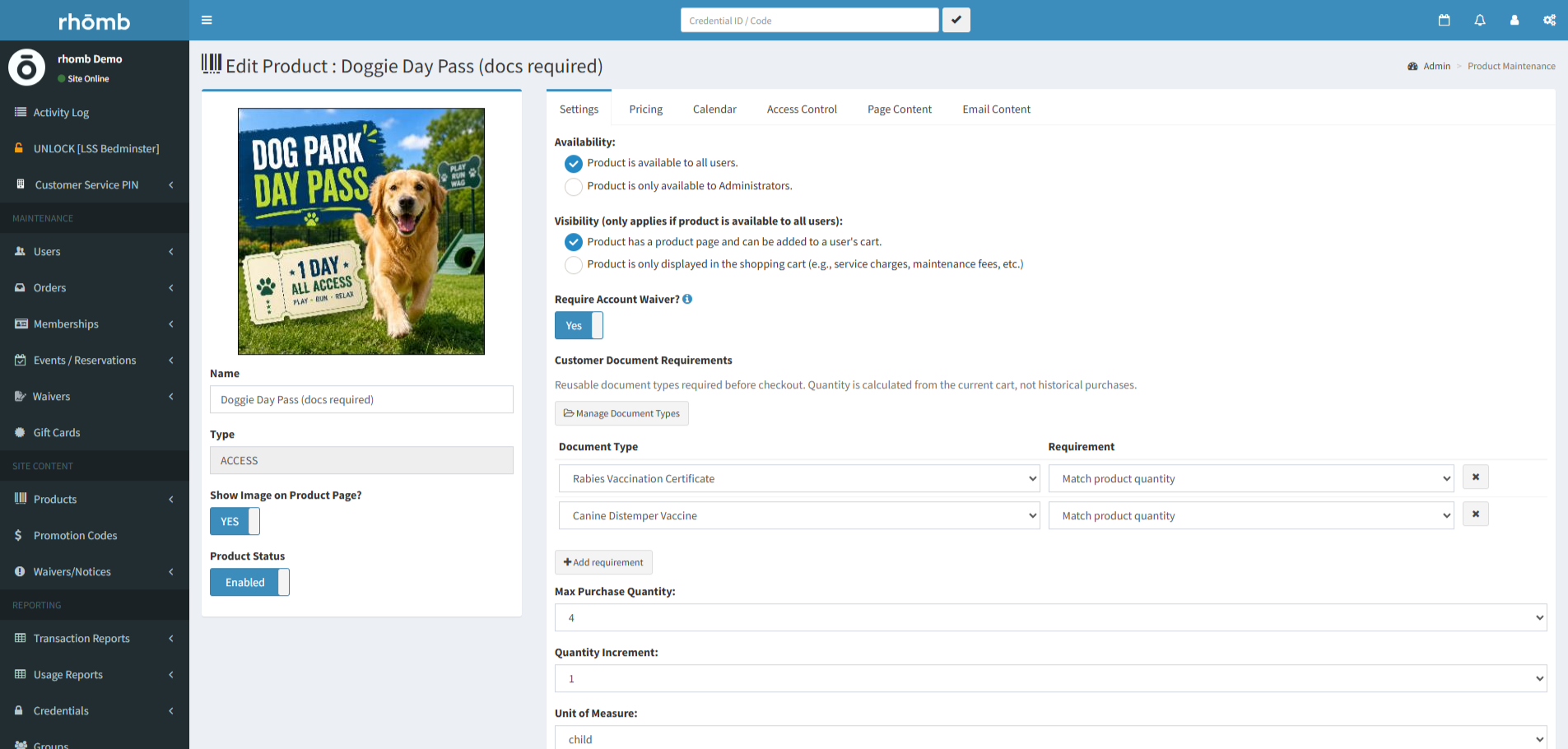
Setting up a product in Rhōmb with required documents
Stop Chasing Customers for Missing Documents
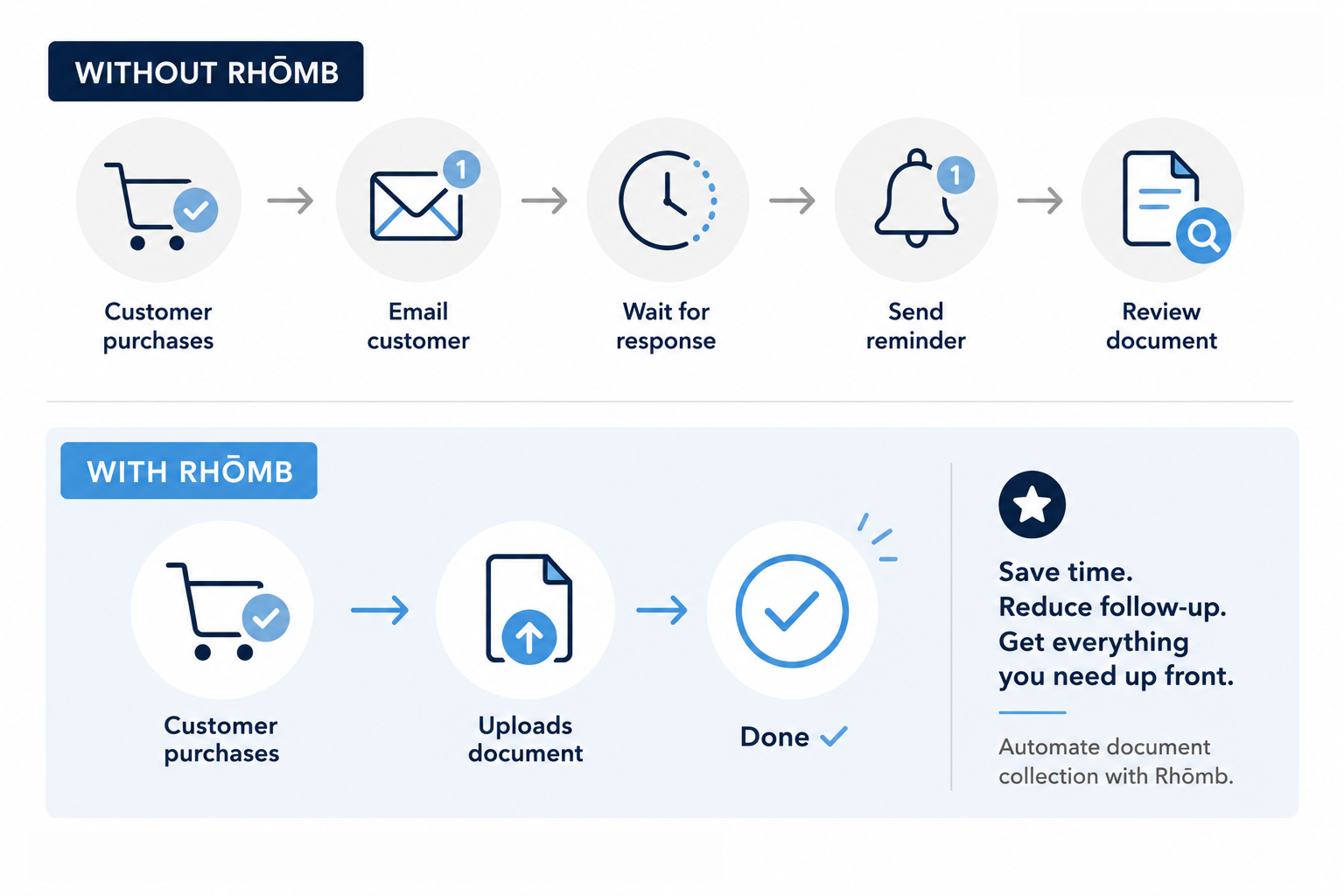
Without an automated process, collecting required documents can quickly become an administrative headache.
A customer purchases a membership. Your team notices that their documentation is missing. Someone sends an email asking them to provide it. The customer forgets. Another email gets sent.
For facilities trying to operate with minimal staffing, that process doesn't make much sense.
Rhōmb lets you move the document collection process directly into checkout.
The customer knows what they need to provide, uploads the document during checkout, and your team can access the submitted documentation from their customer record.
It's another small piece of your operation that can run automatically.
Document Requirements vs. Online Waivers
Document Requirements work alongside Rhōmb's Online Waiver System, but they serve different purposes.
A waiver allows a customer to electronically acknowledge your facility's terms and liability requirements. Rhōmb can automatically prompt customers to complete waivers before checkout or access.
A Document Requirement, on the other hand, allows you to collect an actual document from the customer.
Think of it this way:
Waiver:
"I acknowledge and agree to these terms."
Document Requirement:
"Here is the documentation you require me to provide."
Using both together can create a more complete onboarding process for facilities that need both signed waivers and supporting documentation.
Perfect for Dog Parks
Document Requirements are particularly useful for dog parks and other pet-focused facilities.
Many dog parks need to verify that dogs meet certain requirements before allowing them to use the facility.
With Rhōmb, you could create a Dog Park Membership that requires customers to upload:
Municipal Dog License
Rabies Vaccination Certificate
Spay/Neuter Certification
Instead of asking customers to email these documents after purchasing their membership, you can make them part of the purchasing process.
This is especially useful for unstaffed dog parks, where there may not be an employee available to check paperwork at the door.
Rhōmb already supports Dog Parks with online sales, memberships, access control, and other tools designed to help facilities operate with minimal staffing.

More Than Just Document Collection

The real value of Document Requirements isn't simply collecting files. It's how the feature fits into Rhōmb's larger self-service ecosystem.
A typical customer journey might look like this:
1. Customer selects a product for purchase
The customer selects a product for purchase, such as a membership, day pass, or reservation through your Rhōmb storefront.
2. Customer completes required waiver
If the product also requires a waiver, Rhōmb can collect that digitally as part of the customer checkout process.
3. Customer provides required documentation
If the product has a Document Requirement, the customer uploads the necessary documentation during checkout.
4. Payment is processed
The customer's payment is processed through your Rhōmb checkout.
5. Access is delivered
For access-enabled products, the customer receives the appropriate access credential based on their purchase.
Rhōmb's Access Control is directly connected to your products, allowing access credentials to be automatically issued based on what a customer purchases.
The result is a customer journey that can happen without someone sitting behind a front desk.
Use Document Requirements With Memberships
Document Requirements can be especially helpful when certain membership types have eligibility requirements.
For example:
Resident Membership
Proof of Residence
Dog Park Membership
Municipal Dog License
Rabies Vaccination Certificate
Spay/Neuter Certification
Adult Membership
Driver's License
Rhōmb's Membership Management tools can then handle recurring billing, member profiles, automated payment reminders, and membership access.
This allows your documentation requirements to become part of the larger membership process instead of a separate administrative task.
Use Them With Reservations and Events
Document Requirements aren't limited to memberships.
They can also be useful for products involving Events & Reservations.
For example, a facility could require documentation for:
Specialty classes
Camps
Workshops
Private facility rentals
Sports programs
Age-restricted activities
Rhōmb allows businesses to sell event spots and reserve spaces online, with access tied directly to the customer's purchase.
Adding required documentation to that process gives you another way to make sure customers provide what you need before participating.
How to Set Up a Document Requirement
Setting up a requirement is simple:
Go to Products > Add/Edit Product.
Select the product that requires documentation.
Open the Settings tab.
Find Customer Document Requirements.
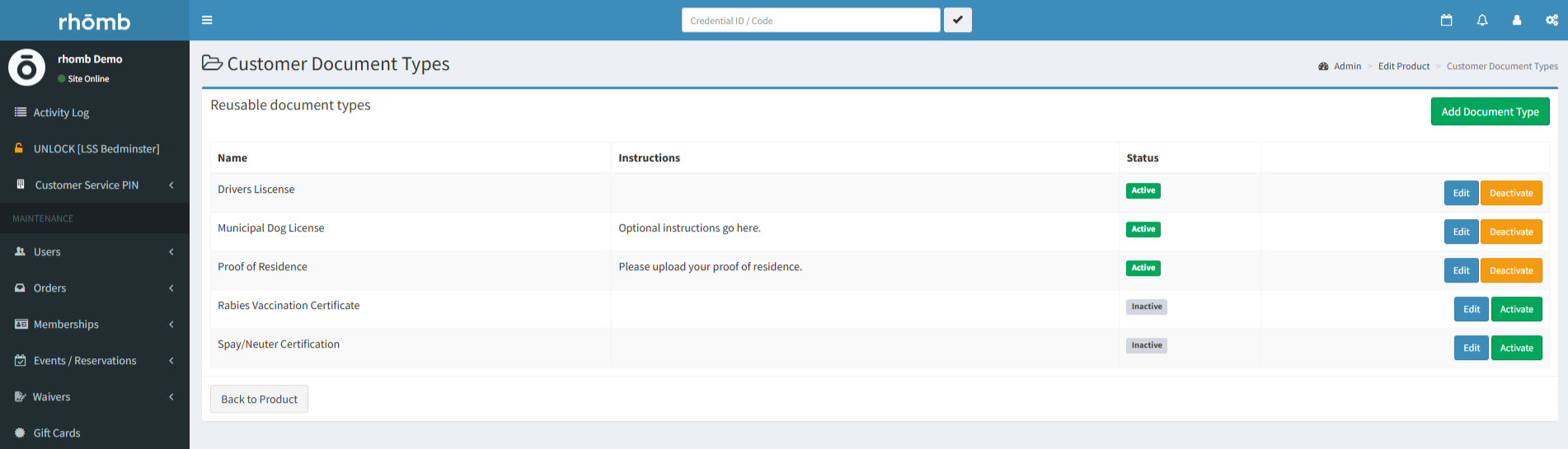
Select Manage Document Types.
Create the document type you want to collect.
Add the document as a requirement for the product.
Save your changes.
Once configured, customers will be prompted to upload the required document during checkout.
Build a More Automated Customer Experience
Every manual task you remove from your operation makes it easier to run a facility with fewer staff.
Digital waivers eliminate paper forms. Online reservations eliminate phone calls. Automated access control eliminates the need to unlock the door. And Document Requirements eliminate the need to chase customers for required paperwork.
Together, these tools create a customer experience that can happen online from start to finish.
Your customers get a faster, easier experience. Your team spends less time chasing paperwork. And your facility can operate more independently.
Ready to See How Rhōmb Can Automate Your Facility?
Explore Rhōmb's full suite of features or check out Rhōmb's pricing to see what's included.
You can also schedule a call with the Rhōmb team to see how the platform can work for your facility.